
SsamCut free web video editor by UhBee
The video editor in your browser: SsamCut
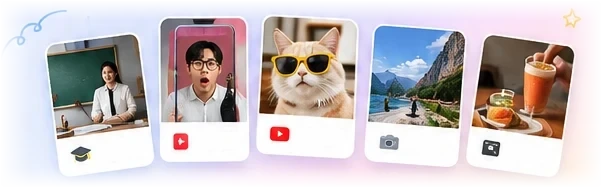
Lesson videos, Shorts, YouTube videos and more.
No program to install — cut, add captions, add music and export right in Chrome. Your videos are never uploaded to a server; editing happens only on your computer.
We recommend the Chrome browser on a PC or laptop.
BETAYou can edit on your phone too
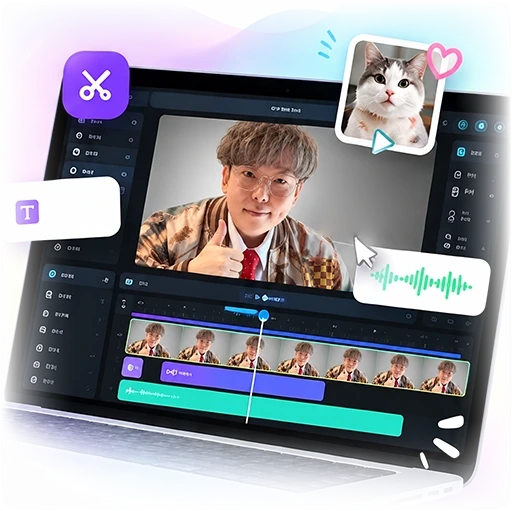
Cut editing
Cut, join and reorder on the timeline, multi-track editing
Captions · Text
Add text, auto captions (speech recognition), adjust font, color and position
Music · Audio
Add background music and sound effects, adjust volume, change speed
Effects · Transitions
Filters, adjustments, masks & chroma key, transitions, keyframe animation
Aspect ratio
Switch instantly between YouTube 16:9, Shorts/Reels 9:16 and square 1:1
Export
Save the finished video as MP4 — no watermark
Edit videos in Claude & ChatGPT
just by chatting
SsamCut now works as a custom connector (MCP) for AI apps. Once connected, the AI edits your SsamCut editor directly — cuts, captions, effects, transitions and exports. Editing is free.
See how to connect- STEP 1Add one URLAdd
ssamtool.com/mcpas a custom connector in your AI app - STEP 2Sign in to SsamTool & allowSign in with Google and click 'Allow' — that's it
- STEP 3Edit by chatting“Cut the silent parts and add captions”
- The same connection also lets AI edit SsamGeul (HWP, Word and PDF documents) →
- Your video files are never uploaded. The AI only sees project info and preview frames.
How it works
No install needed — just start simply in your browser.
Import video
Drag and drop to load video files.
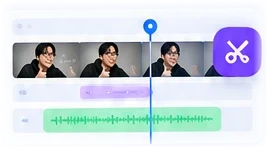
Edit
Cut, add captions, add music — edit it just the way you want.
Export
Save your finished video as MP4. Use it right away, no watermark.
Any video,
SsamCut is all you need.
FAQ
Is it really free?
Yes, it's free. Start in a second with your Google account — no ads, no payments. No watermark is added to exported videos.
Are my videos uploaded to a server?
No. Videos, photos and audio you load are never sent to a server — they're stored only in this browser. Editing and exporting all happen on your computer.
Where are projects saved?
They're saved in the browser you're using. Clearing the browser's site data deletes them too, and they won't appear on other computers or browsers. Always save your finished video as an MP4 file with Export.
Which browser should I use?
We recommend Chrome on a PC or laptop. Edge mostly works too. You can also use it on phones (iPhone Safari, Android Chrome) in beta, and it opens like an app once added to your Home Screen.
How do I make auto captions?
In the 'Captions' tab on the left, pick a language (your interface language by default) and click Generate auto captions. The first time takes a little longer while the speech recognition model downloads.
Can I remove a green screen (chroma key)?
Yes. Select a clip, then turn on Chroma key in the 'Mask' tab on the right to make green or blue backgrounds transparent.